The Dynamic Island, now on Windows.Dynamic Island, kini di Windows.
repov notch turns the top of your screen into a notch that's alive. Music, notifications, timers, files, notes and more — 14 built-in tools, one hover away.repov notch mengubah bagian atas layar jadi notch yang hidup. Musik, notifikasi, timer, file, catatan, dan lainnya — 14 alat bawaan, cukup arahkan kursor.
Windows 10 & 11 · Version 1.0.0Windows 10 & 11 · Rust + Tauri native · Versi 1.0.0
Hover or tap the notchArahkan kursor atau tap notch
09:41
TryCoba
StyleGaya
This is the real repov notch interface, running in your browser with sample data.Ini antarmuka asli repov notch yang berjalan di browser dengan data contoh.The live demo starts when this page is opened from a website instead of a local file.Demo langsung berjalan saat halaman ini dibuka dari website, bukan dari file lokal.
14built-in toolsalat bawaan
13live activitieslive activity
7gradient themestema gradient
8accent colorswarna aksen
One notch, everything insideSatu notch, semua ada di dalamnya
14 tools that open with a hover.14 alat yang terbuka hanya dengan hover.
Every tab can be turned on or off, and dragged into your own order.Setiap tab bisa dinyalakan atau dimatikan, dan diurutkan sesukamu.
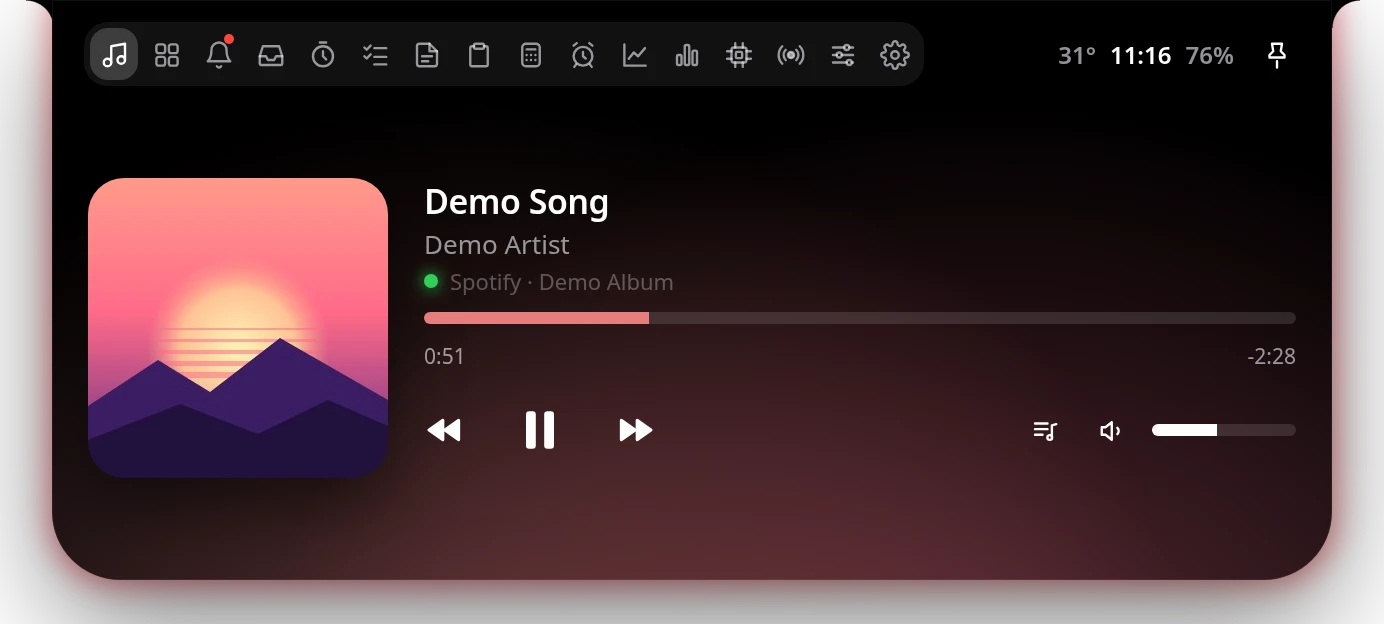
MusicMusik
Control Spotify, YouTube, Apple Music, VLC and more right from the top of your screen. The notch even picks up the colors of the album art.Kontrol Spotify, YouTube, Apple Music, VLC, dan lainnya langsung dari atas layar. Warna notch bahkan ikut menyesuaikan cover album.
Play, pause, skip and seekPlay, pause, skip, dan geser posisi lagu
Volume slider with muteSlider volume dan mute
Background follows the album colorsBackground mengikuti warna cover album
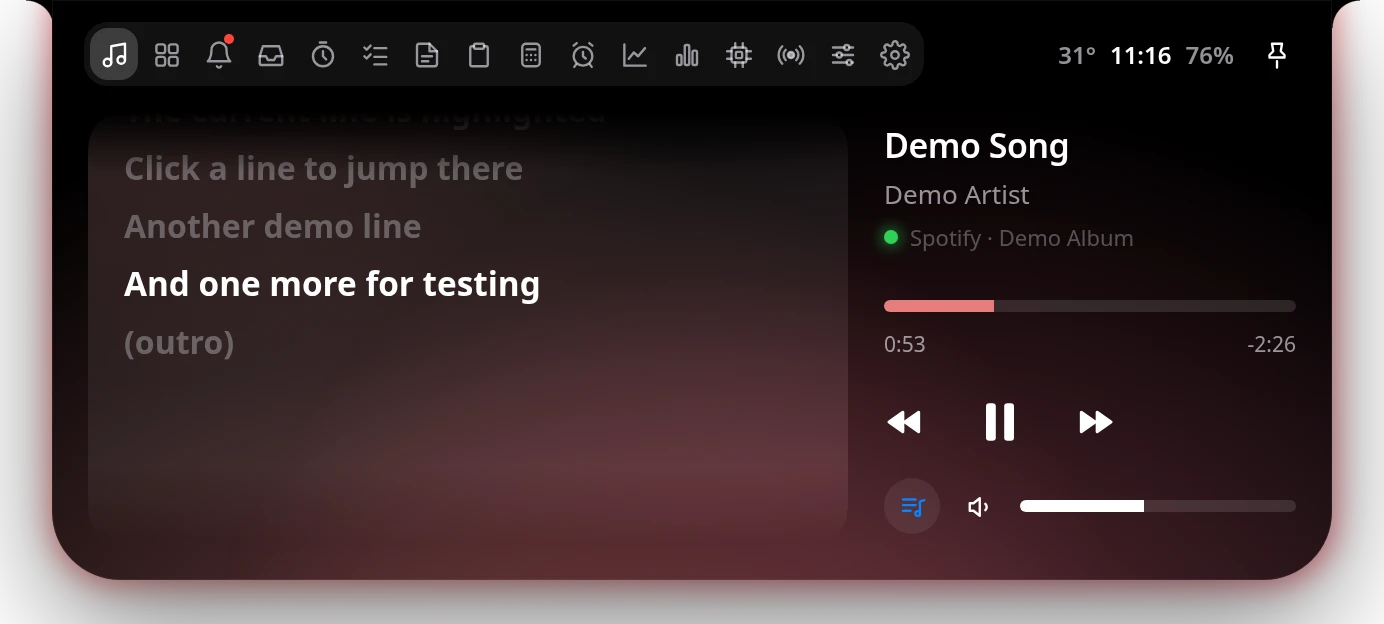
LyricsLirik
Sing along with synced lyrics. The line being sung lights up, and you can click any line to jump to it.Ikut bernyanyi dengan lirik sinkron. Baris yang sedang dinyanyikan menyala, dan kamu bisa klik baris mana pun untuk lompat ke sana.
Synced lyrics from lrclib.netLirik sinkron dari lrclib.net
Click a line to jump thereKlik baris untuk lompat
Plain lyrics when there's no timingLirik biasa kalau tidak ada timing
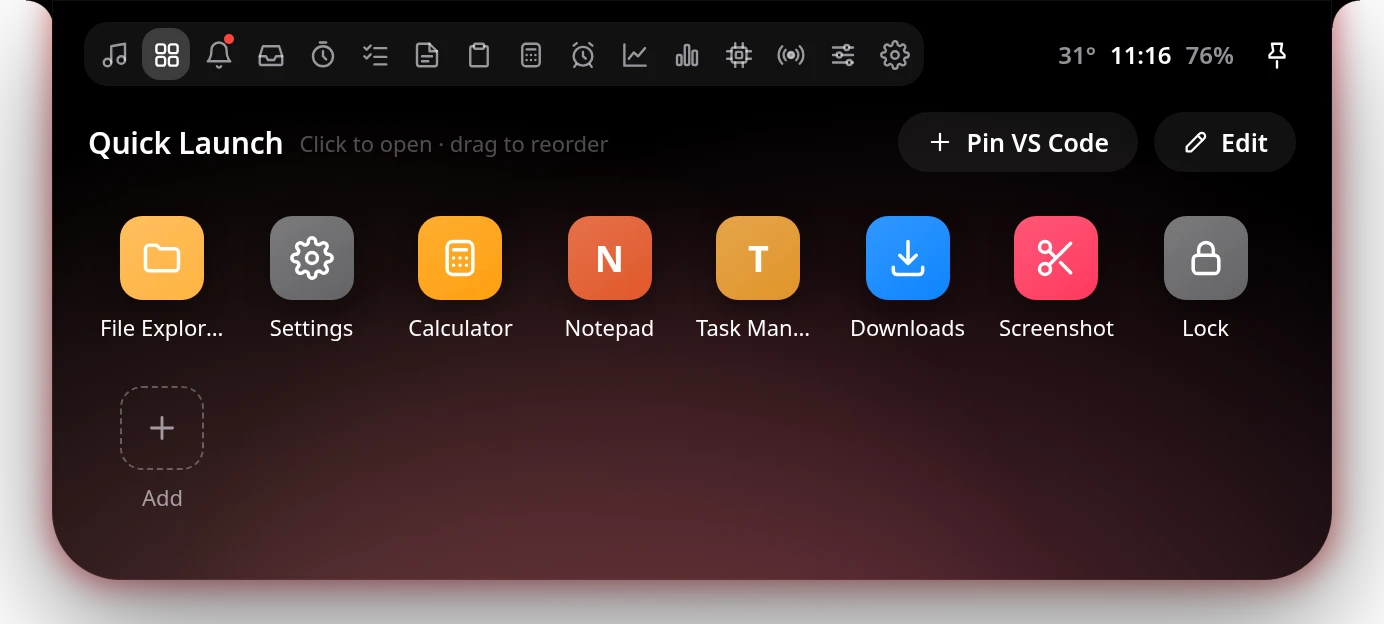
Quick LaunchQuick Launch
Your favorite apps, folders, files and websites — one click away.Aplikasi, folder, file, dan situs favorit — cukup satu klik.
Search every Start menu and Store appCari semua aplikasi Start menu dan Store
Pin the app you're using right nowPin aplikasi yang sedang kamu pakai
Ctrl + Alt + 1…9 to launchCtrl + Alt + 1…9 untuk membuka
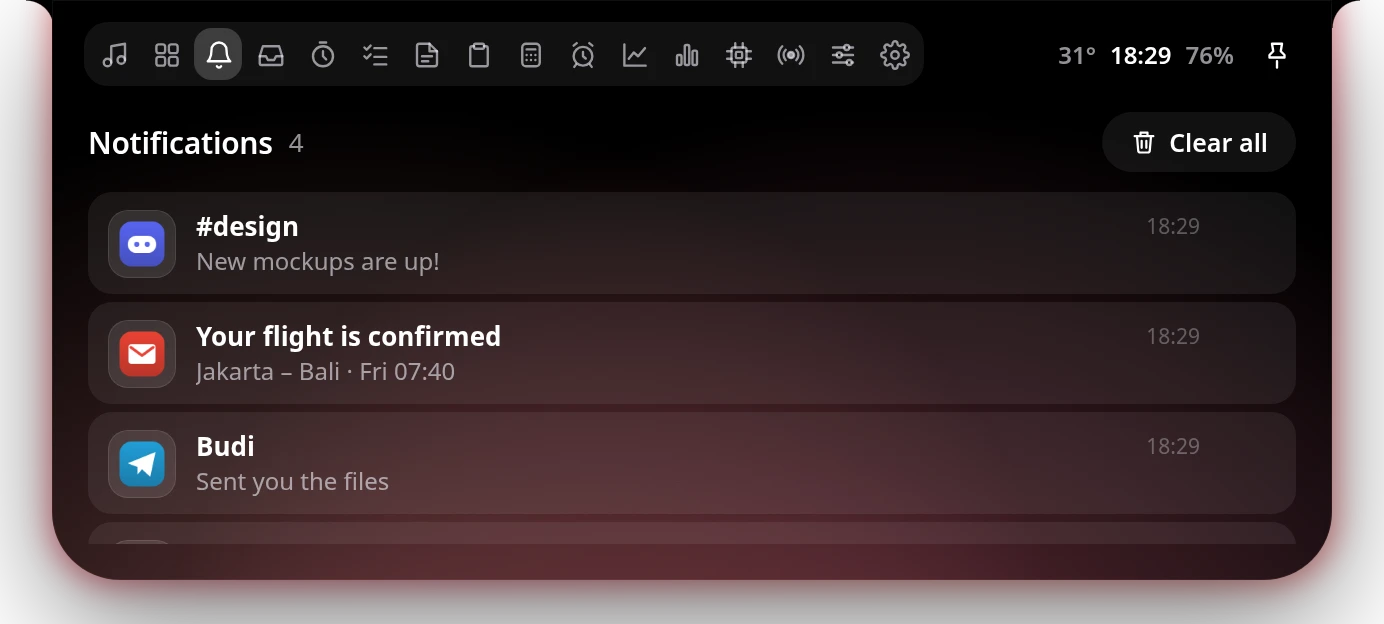
NotificationsNotifikasi
WhatsApp, Telegram, email and more slide out of the notch with their own logo, then wait for you here.WhatsApp, Telegram, email, dan lainnya muncul dari notch lengkap dengan logonya, lalu menunggumu di sini.
The app's own logo on every notificationLogo aplikasinya di setiap notifikasi
Optional message previewPreview pesan (opsional)
Delete one by one or clear allHapus satu per satu atau semuanya
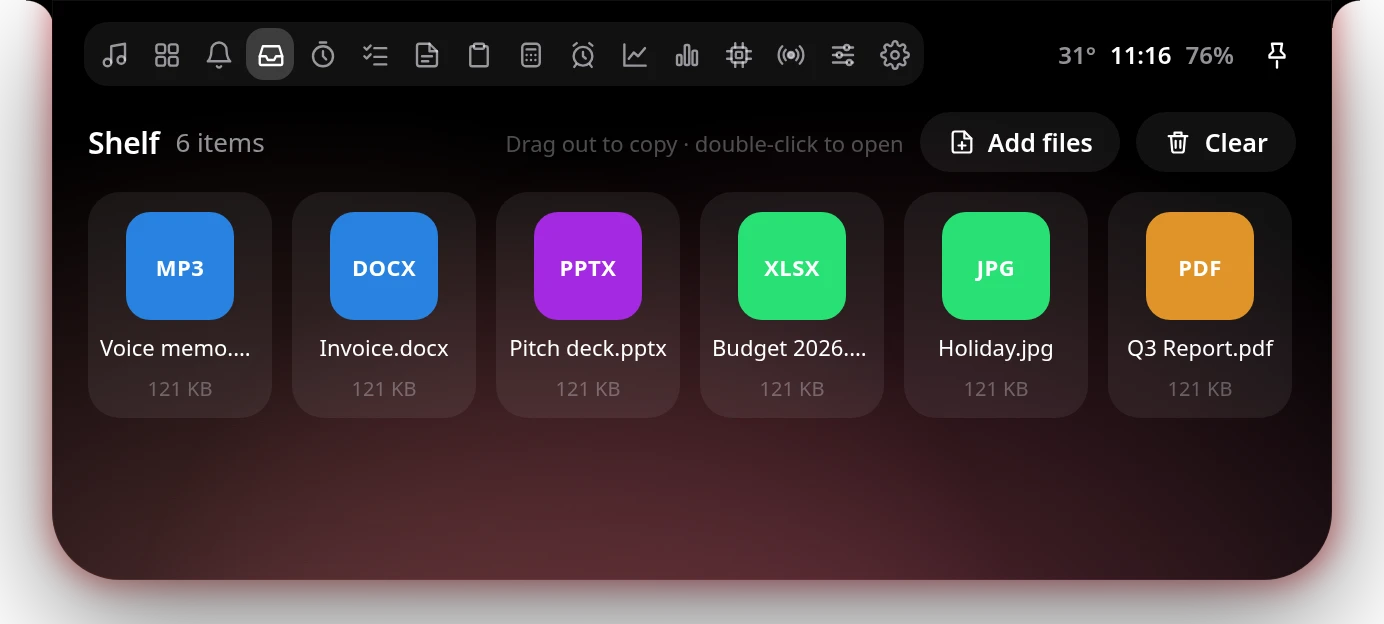
ShelfShelf
Drag files onto the notch to park them, then drag them out into any app.Seret file ke notch untuk disimpan sementara, lalu seret keluar ke aplikasi mana pun.
Drop files straight from ExplorerJatuhkan file langsung dari Explorer
Drag out to copy, double-click to openSeret keluar untuk menyalin, klik dua kali untuk membuka
Or add files with a pickerAtau tambah file lewat dialog
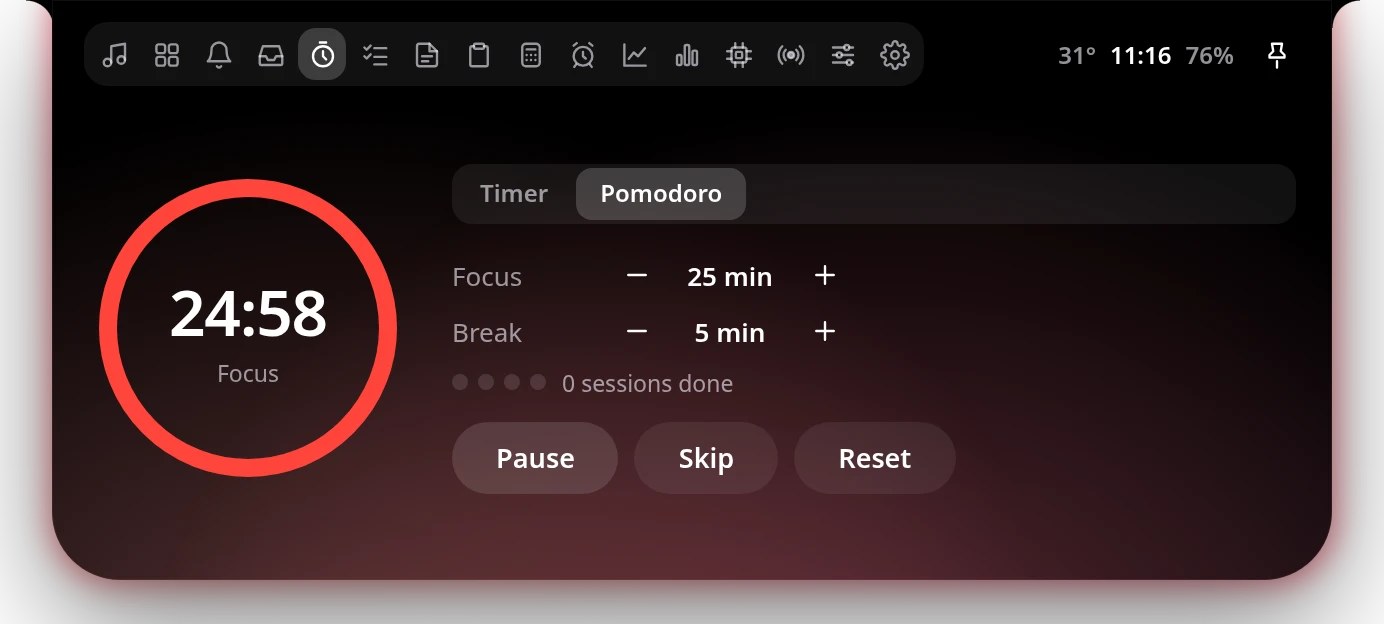
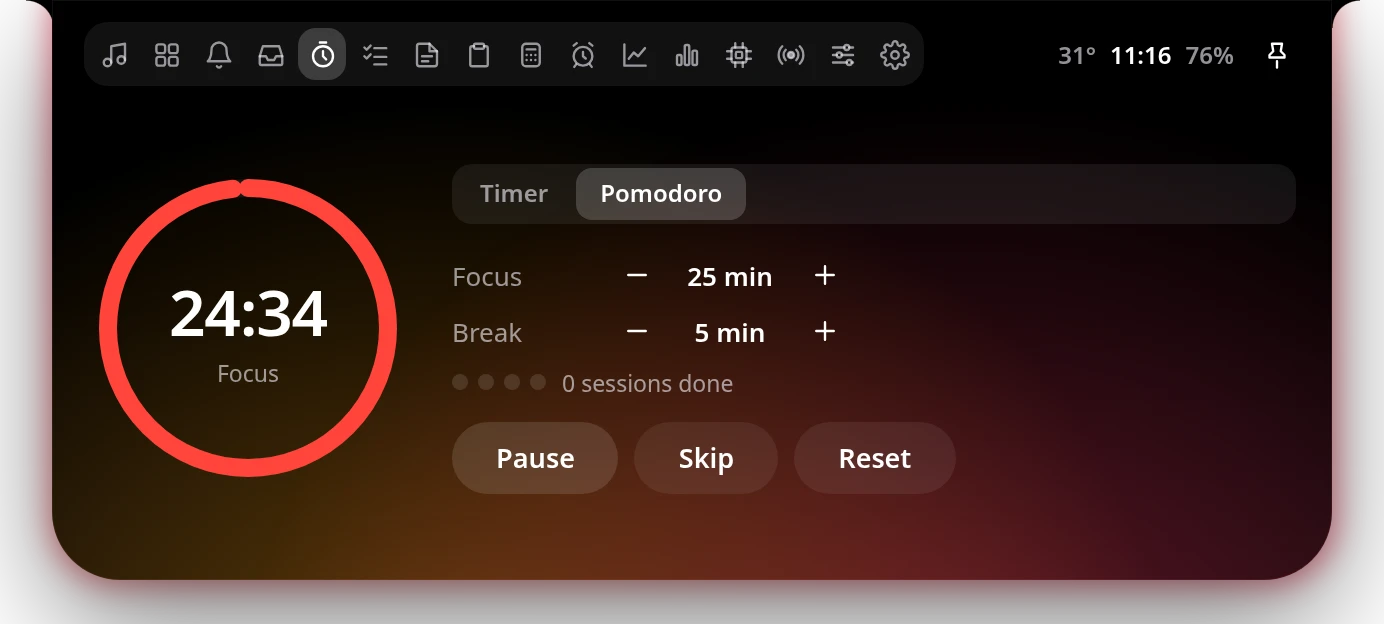
Timer & PomodoroTimer & Pomodoro
Countdowns and focus sessions with a ring on the notch and a chime when time's up.Hitung mundur dan sesi fokus dengan ring di notch dan bunyi saat waktunya habis.
Presets from 1 minute to 1 hourPreset 1 menit sampai 1 jam
Pomodoro with short and long breaksPomodoro dengan istirahat pendek dan panjang
A thin progress bar on the notch edgeProgress bar tipis di tepi notch
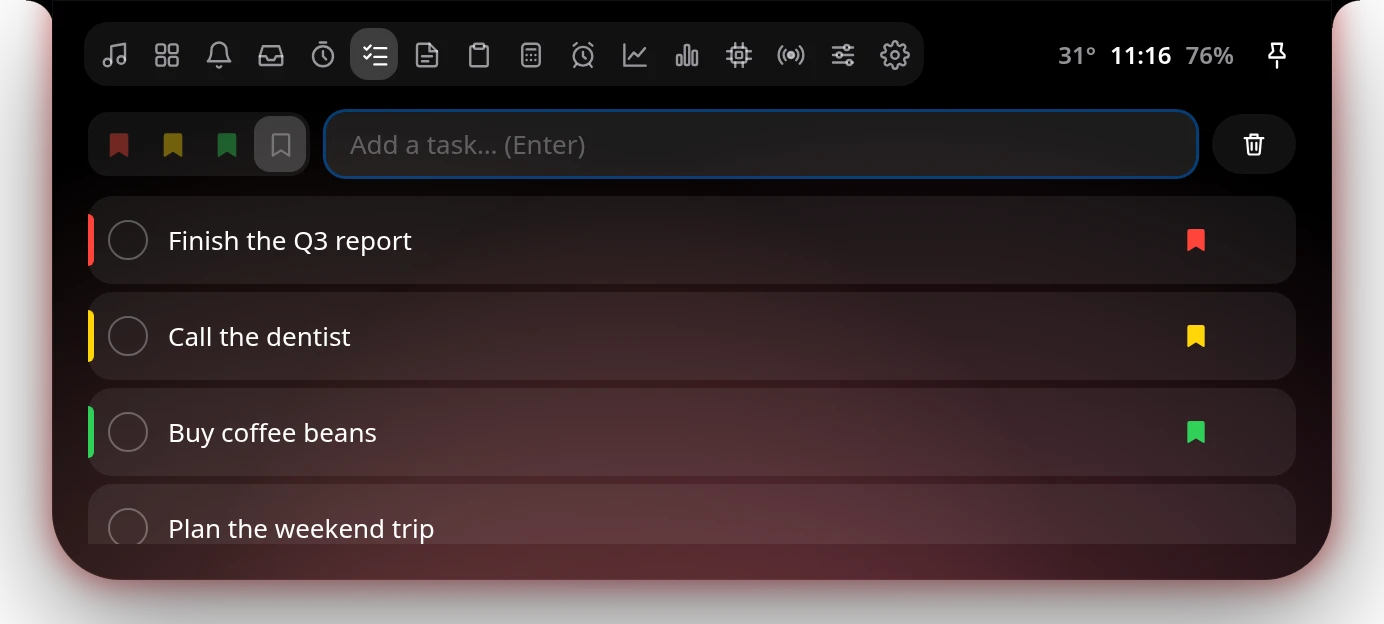
To-doTo-do
Quick tasks with red, yellow and green priority bookmarks.Tugas cepat dengan bookmark prioritas merah, kuning, dan hijau.
Click anywhere on a task to check it offKlik di mana saja pada tugas untuk mencentang
High priority always stays on topPrioritas tinggi selalu di atas
Drag to reorderSeret untuk mengurutkan
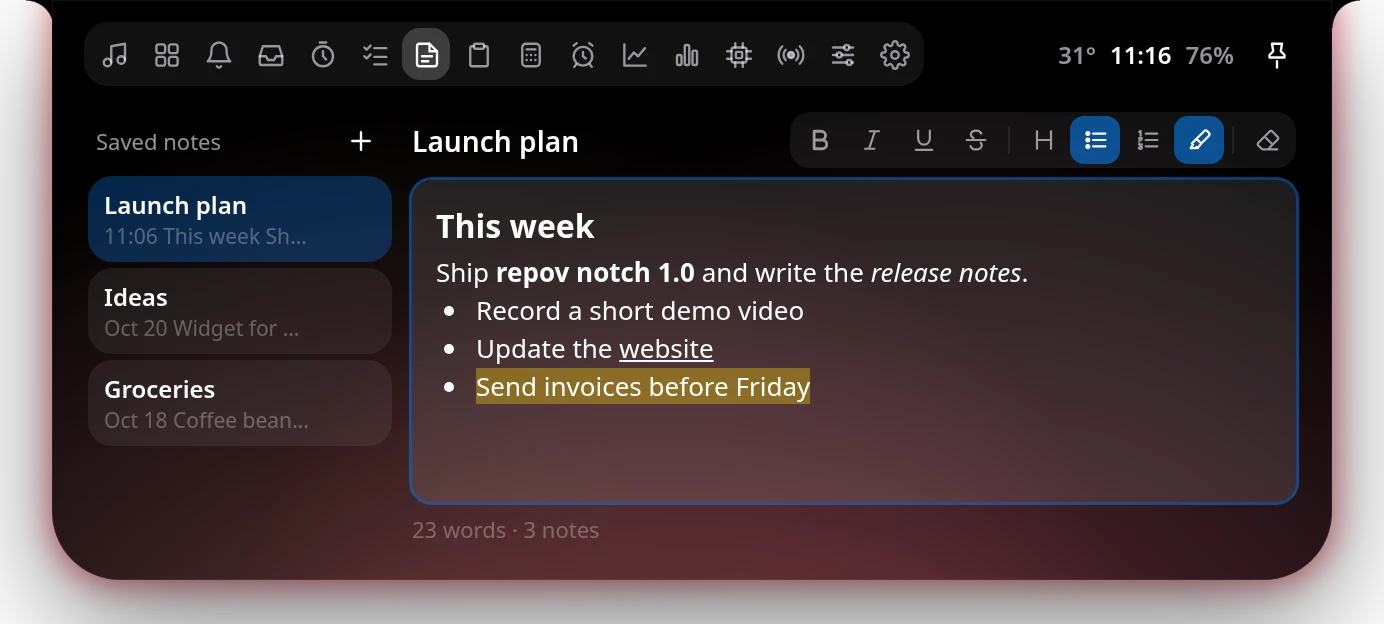
NotesCatatan
As many notes as you like, with real formatting and automatic saving.Catatan sebanyak yang kamu mau, lengkap dengan format teks dan tersimpan otomatis.
Bold, italic, underline, headings, lists and highlightBold, italic, underline, judul, daftar, dan stabilo
Rename every noteGanti nama setiap catatan
Drag notes into your own orderSeret catatan sesuai urutanmu
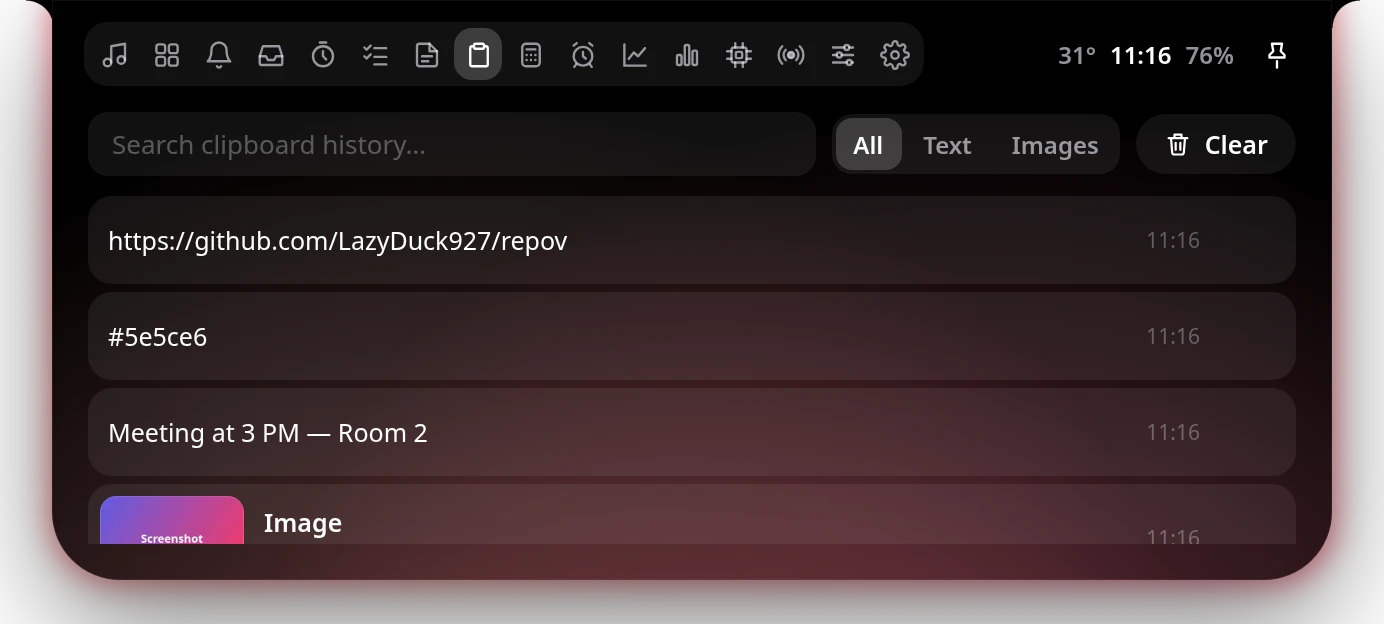
ClipboardClipboard
Everything you copy — text and screenshots — ready to paste again.Semua yang kamu salin — teks dan screenshot — siap ditempel lagi.
Screenshots from Win + Shift + SScreenshot dari Win + Shift + S
Preview, copy again or save as PNGLihat besar, salin ulang, atau simpan PNG
Content from password managers is skippedIsi dari password manager dilewati
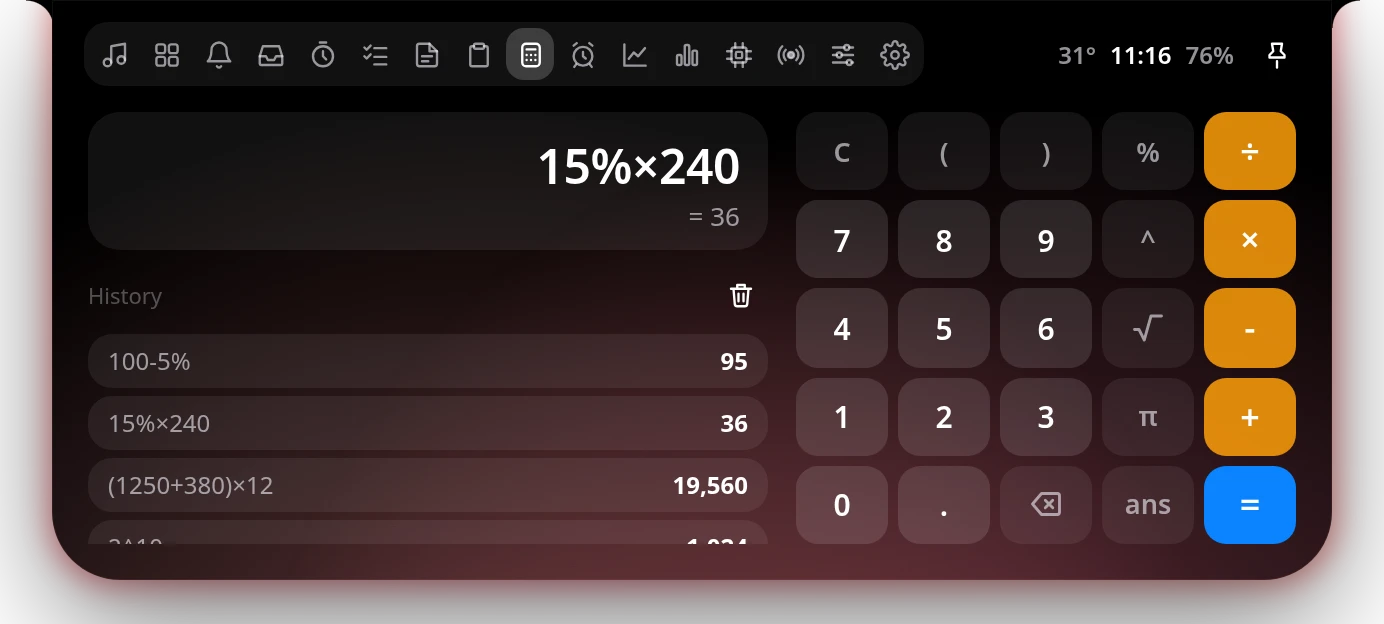
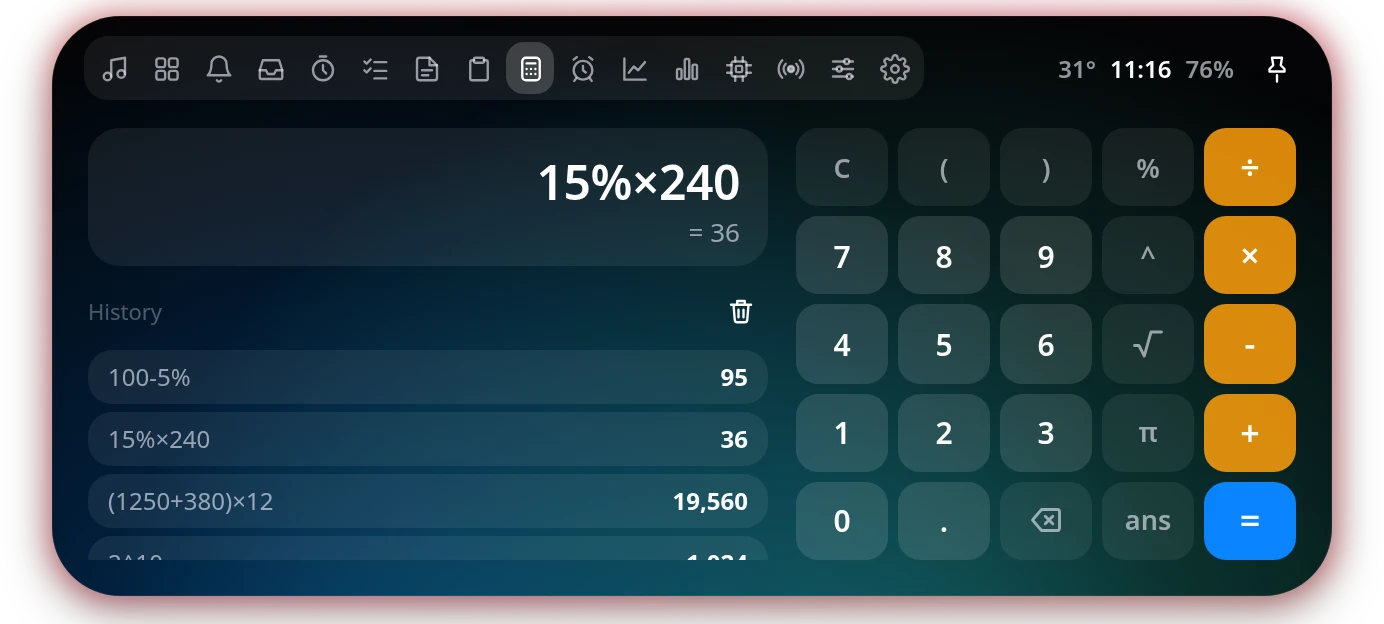
CalculatorKalkulator
Type naturally or tap the keys — it even gets percentages right.Ketik langsung atau tekan tombolnya — persentasenya pun benar.
100 − 5% = 95, just like a phone100 − 5% = 95, seperti kalkulator HP
√, π, ^, sin, cos, log and more√, π, ^, sin, cos, log, dan lainnya
History you can click to reuseRiwayat yang bisa diklik ulang
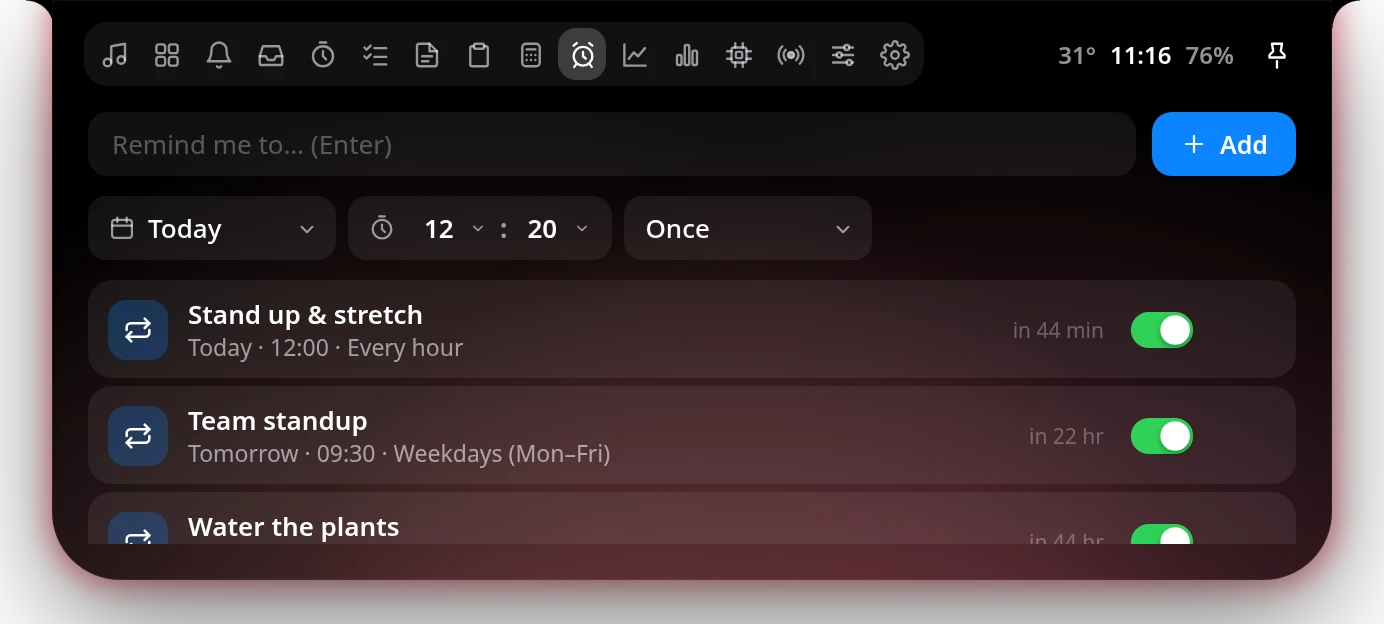
RemindersPengingat
Your own reminders, once or on repeat, with a proper alarm on the notch.Pengingat buatanmu sendiri, sekali atau berulang, dengan alarm di notch.
Hourly, daily, weekdays, weekly, monthly, yearly or customTiap jam, hari, hari kerja, minggu, bulan, tahun, atau kustom
Snooze for 10 minutesSnooze 10 menit
Missed ones appear when you're backYang terlewat muncul saat kamu kembali
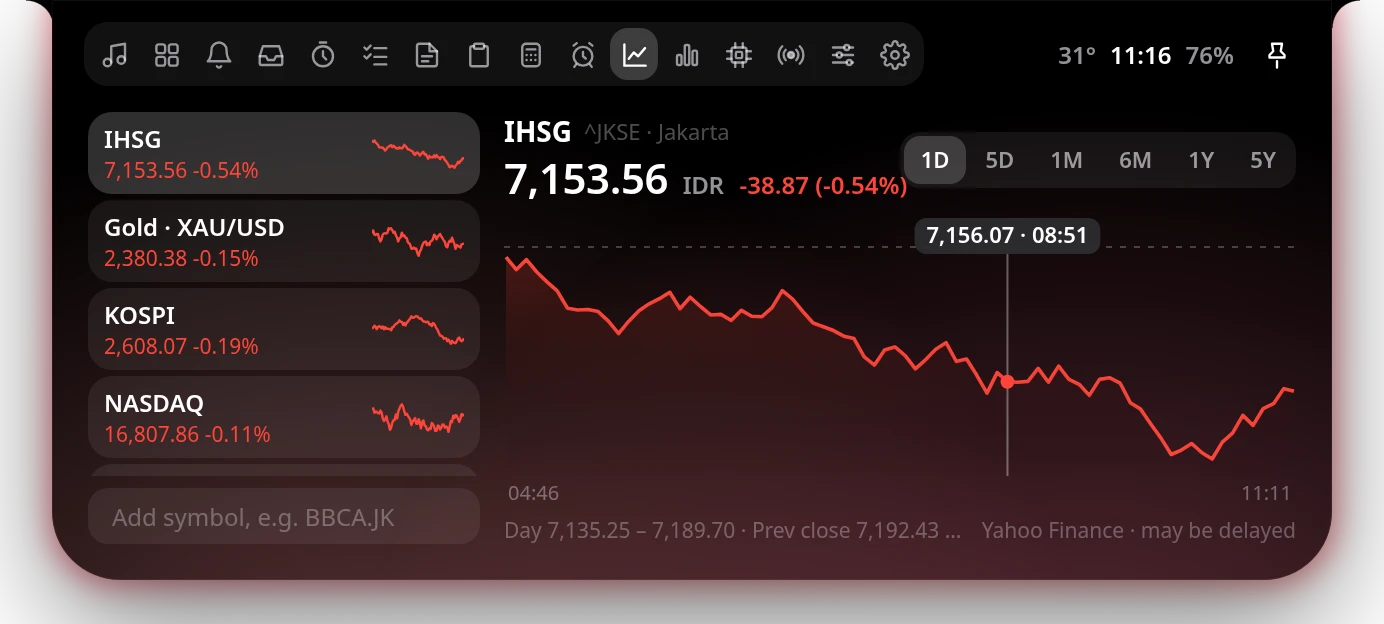
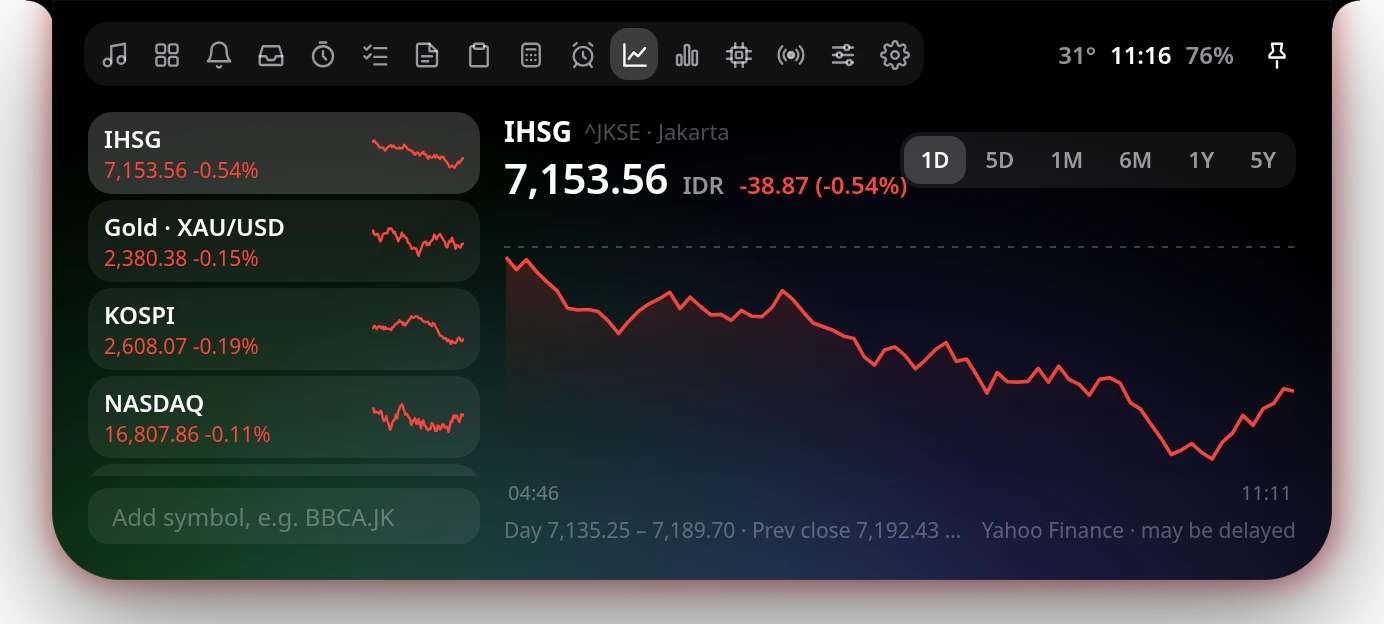
MarketsPasar saham
Keep an eye on IHSG, gold (XAU/USD), KOSPI, NASDAQ and any Yahoo Finance symbol.Pantau IHSG, emas (XAU/USD), KOSPI, NASDAQ, dan simbol Yahoo Finance apa pun.
Charts from 1 day to 5 yearsGrafik 1 hari sampai 5 tahun
Add symbols like BBCA.JKTambah simbol seperti BBCA.JK
Off by default, loads only while openDefault mati, data hanya dimuat saat dibuka
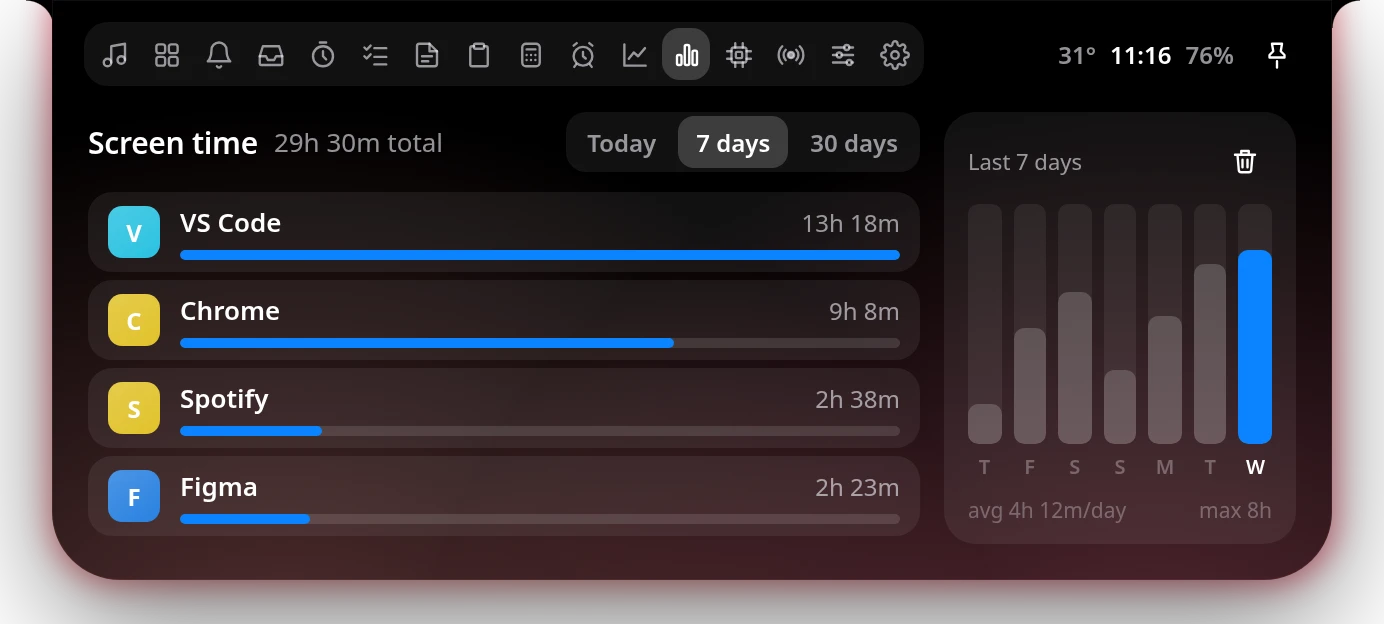
Screen timeScreen time
See how much time you spend in each app — today, this week or this month.Lihat berapa lama kamu memakai tiap aplikasi — hari ini, minggu ini, atau bulan ini.
Today, 7 days and 30 daysHari ini, 7 hari, dan 30 hari
A 7-day bar chartGrafik batang 7 hari
Time away from the PC isn't countedWaktu saat kamu tidak di depan PC tidak dihitung
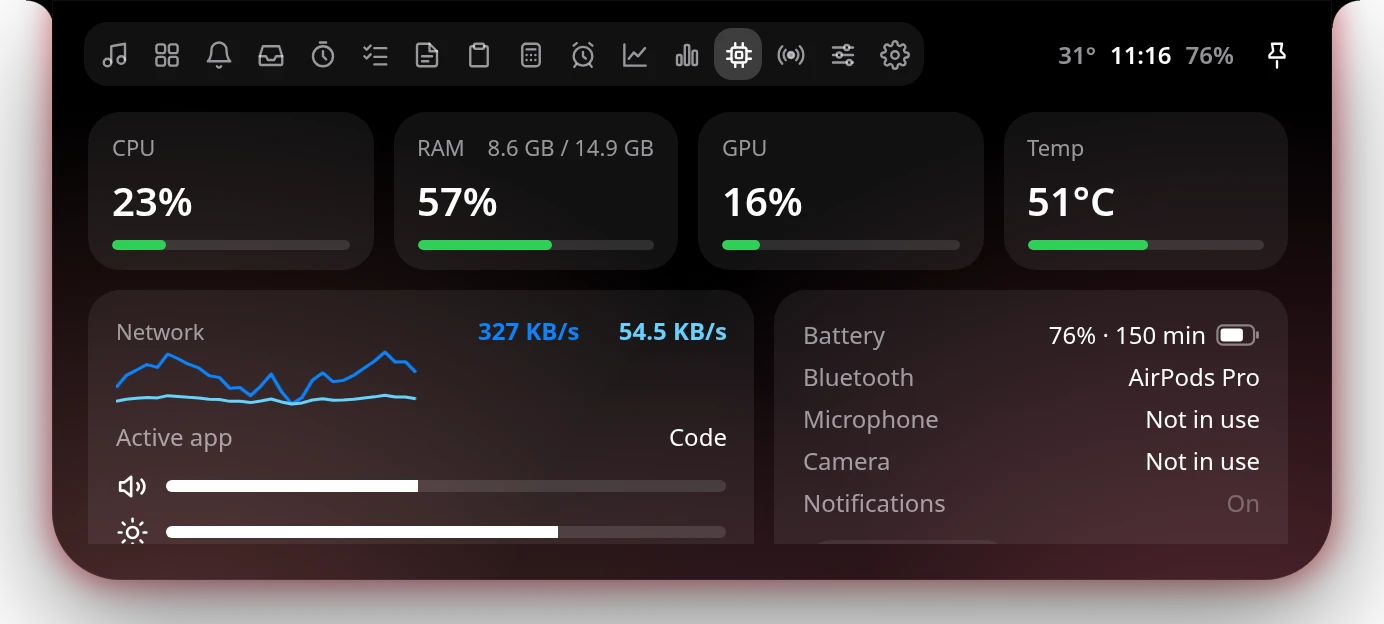
SystemSistem
CPU, RAM, GPU, temperature, network, battery and Bluetooth at a glance.CPU, RAM, GPU, suhu, jaringan, baterai, dan Bluetooth dalam sekali lihat.
Volume and brightness slidersSlider volume dan kecerahan
See which apps use your mic or cameraLihat aplikasi yang memakai mic atau kamera
Mute or end Zoom, Teams and Discord callsMute atau akhiri panggilan Zoom, Teams, dan Discord
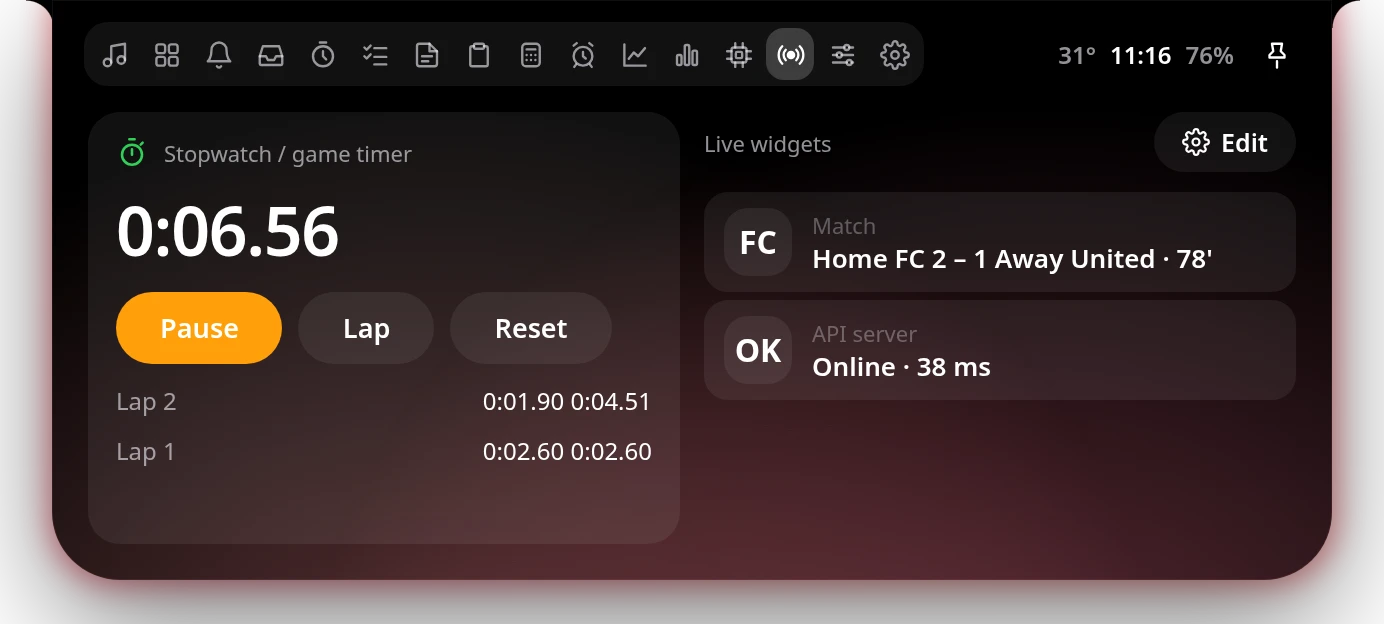
LiveLive
A stopwatch for games and workouts, plus live widgets fed by any JSON URL.Stopwatch untuk game dan olahraga, plus widget live dari URL JSON apa pun.
LapsLap
Scores, server status, prices — your own templateSkor, status server, harga — sesuai templatemu
Pops up on the notch when a value changesMuncul di notch saat nilainya berubah
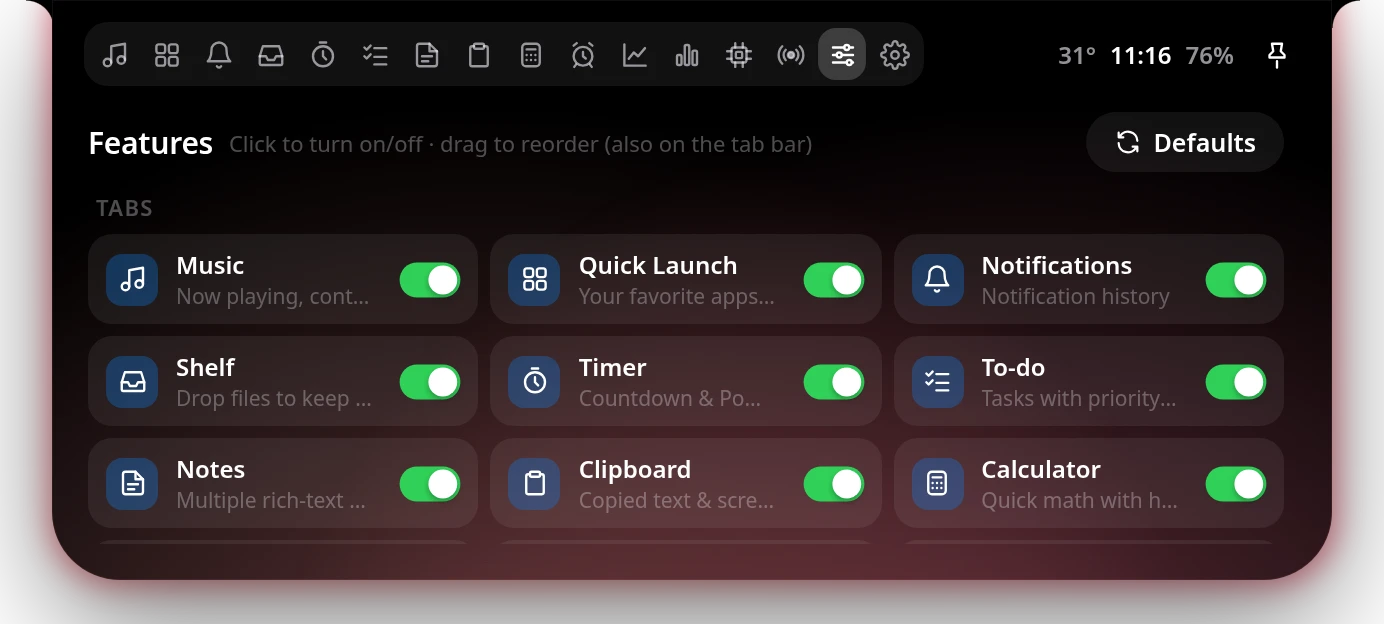
MiscMisc
Turn any feature on or off, and drag tabs into the order you like.Nyalakan atau matikan fitur apa pun, dan seret tab ke urutan yang kamu suka.
Turned-off tabs disappear and stop runningTab yang dimatikan hilang dan berhenti berjalan
One click back to the defaultsSatu klik kembali ke default
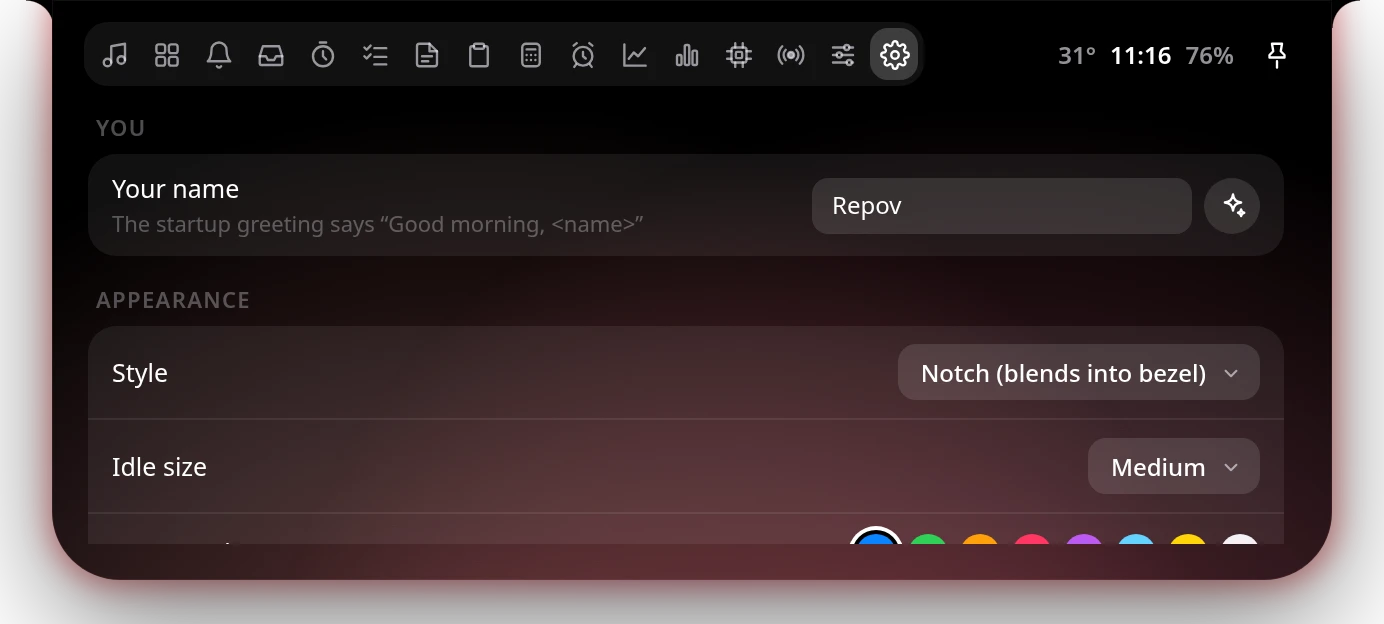
SettingsPengaturan
Style, colors, fonts and behavior — all neatly in one place.Gaya, warna, font, dan perilaku — semuanya rapi di satu tempat.
Your name in the greetingNamamu di sapaan
Notch or floating islandNotch atau floating island
Hover delay, reach and peek distanceHover delay, jangkauan, dan jarak peek
Live ActivitiesLive Activities
The notch keeps you posted.Notch yang selalu memberi kabar.
Short, animated pop-ups for what happens on your PC — gone on their own when you're done.Pop-up singkat beranimasi untuk semua yang terjadi di PC — hilang sendiri setelahnya.
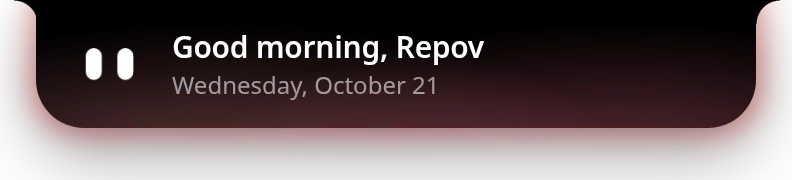
Startup greetingSapaan startupThe eyes wake up and say good morning — with your name.Matanya bangun dan menyapa — lengkap dengan namamu.
Incoming messagePesan masukWith the app's logo — WhatsApp, Telegram, email and more.Lengkap dengan logo aplikasinya — WhatsApp, Telegram, email, dan lainnya.
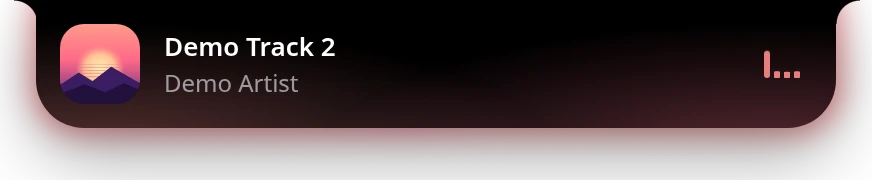
Now playingLagu bergantiA peek at the new song when the track changes.Info lagu baru saat lagu berganti.
VolumeVolumeA sleek bar when you change the volume.Bar elegan saat volume diubah.
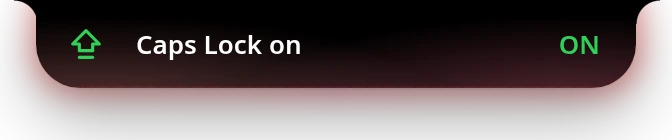
Caps LockCaps LockNo more typing in all caps by accident.Tidak ada lagi salah ketik huruf besar semua.
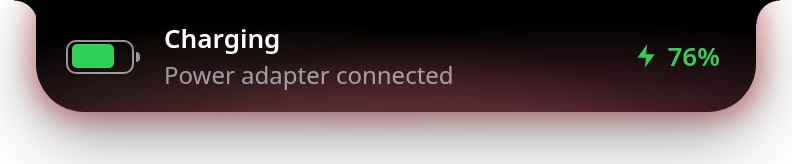
ChargingMengisi dayaA little animation when you plug in.Animasi kecil saat charger dicolok.
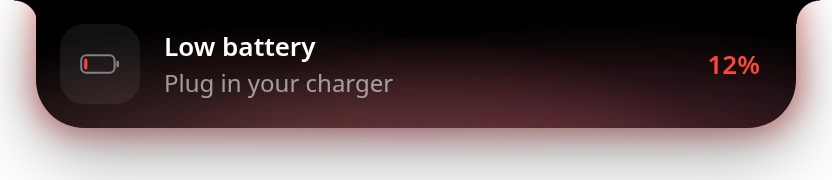
Low batteryBaterai lemahA nudge at 20% and again at 10%.Pengingat di 20% dan lagi di 10%.
BluetoothBluetoothKnow when your earbuds or keyboard connect.Tahu saat earbud atau keyboard terhubung.
Download completeUnduhan selesaiOpen it or drop it on the Shelf.Buka langsung atau taruh di Shelf.
Call controlsKontrol panggilanMute or hang up Zoom, Teams and Discord.Mute atau akhiri Zoom, Teams, dan Discord.
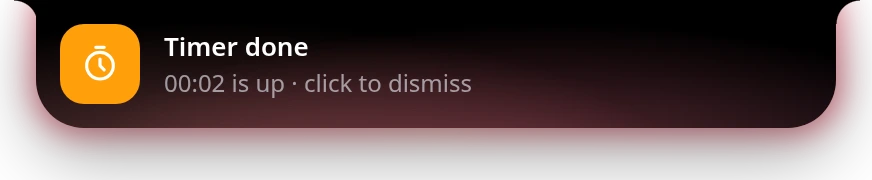
Timer doneTimer selesaiAn alarm that waits until you dismiss it.Alarm yang menunggu sampai kamu tutup.
Screenshot copiedScreenshot tersalinPreview it, view it big or save it as PNG.Pratinjau, lihat besar, atau simpan PNG.
ReminderPengingatSnooze it or mark it done.Snooze atau tandai selesai.
Idle, never boringDiam, tapi tidak membosankan
Small, but always in the know.Kecil, tapi selalu tahu.
When you're not using it, the notch quietly shows what's going on — and steps aside when you need the top of the screen.Saat tidak dipakai, notch diam-diam menampilkan apa yang sedang terjadi — dan menyingkir saat kamu butuh bagian atas layar.
Clock, date, weather or batteryJam, tanggal, cuaca, atau bateraiScroll on the notch to switch the widget.Scroll di notch untuk mengganti widget.
Status at a glanceStatus sekilasUnread badge, compact battery and a status dot.Badge belum dibaca, baterai ringkas, dan titik status.
MusicMusikAlbum art and a live equalizer.Cover album dan equalizer yang bergerak.
PeekPeekMove closer and the notch widens with more detail.Dekatkan kursor dan notch melebar dengan info lebih.
Everything at onceSemua sekaligusMusic, mic, Pomodoro, timer and stopwatch side by side.Musik, mic, Pomodoro, timer, dan stopwatch berdampingan.
Peek with timersPeek dengan timerEvery running timer, by name.Semua timer yang berjalan, lengkap dengan namanya.
Hourly blinkKedip tiap jamEvery hour on the hour, the eyes say hi.Setiap pergantian jam, matanya menyapa.
InboxDocsVideoDesign+
Browser-friendlyRamah browserOver a maximized window the notch shrinks to a thin line, so the tabs underneath stay clickable. Push the cursor to the top edge to open it.Di atas jendela maximize, notch mengecil jadi garis tipis sehingga tab di bawahnya tetap bisa diklik. Dorong kursor ke tepi atas untuk membukanya.
Make it yoursSesuaikan
Your notch, your colors.Notch-mu, warnamu.
Seven gradients, eight accent colors, any font you have, and two shapes.Tujuh gradient, delapan warna aksen, font apa pun yang kamu punya, dan dua bentuk.
Gradient backgroundsBackground gradient
Midnight, Sunset, Ocean, Aurora, Rose, Forest or Graphite — or let the album art decide.Midnight, Sunset, Ocean, Aurora, Rose, Forest, atau Graphite — atau biarkan cover album yang menentukan.
Notch or floating islandNotch atau floating island
Blend into the top bezel, or float just below it.Menyatu dengan bezel atas, atau melayang sedikit di bawahnya.
Aurora & breathing glowAurora & breathing glow
An edge glow in your album's colors, or a soft pulsing light.Cahaya tepi dengan warna album, atau cahaya lembut yang berdenyut.
Fonts & accent colorsFont & warna aksen
Eight accents, a font list, or type the name of any installed font.Delapan warna aksen, daftar font, atau ketik nama font apa pun yang terpasang.
Night modeMode malam
Dims itself automatically during the hours you choose.Meredup otomatis di jam yang kamu pilih.
Reduce motionKurangi animasi
Calmer animations whenever you prefer.Animasi lebih tenang kapan pun kamu mau.
Feels built inTerasa seperti bawaan
Out of the way, until you need it.Tidak mengganggu, sampai kamu butuh.
repov notch behaves like part of Windows — it never gets between you and your clicks.repov notch berperilaku seperti bagian dari Windows — tidak pernah menghalangi klikmu.
Hover to openHover untuk membuka
Rest the cursor on the notch — or click, if you prefer. Tune the delay, hover reach and peek distance.Arahkan kursor ke notch — atau klik, kalau lebih suka. Atur delay, jangkauan hover, dan jarak peek.
Click-throughTembus klik
Everything around the notch passes your clicks to the app below.Semua area di sekitar notch meneruskan klik ke aplikasi di bawahnya.
Always on topSelalu di atas
Stays above every window, including the taskbar.Tetap di atas semua jendela, termasuk taskbar.
Tucks away for tabsMenyingkir untuk tab
Shrinks to a thin line over maximized windows so you can reach your browser tabs.Mengecil jadi garis tipis di atas jendela maximize supaya tab browser bisa diraih.
Hides in fullscreenSembunyi saat fullscreen
Games, videos and presentations stay clean.Game, video, dan presentasi tetap bersih.
Keyboard shortcutsPintasan keyboard
Ctrl + Alt + Space opens the notch; Ctrl + Alt + 1…9 launches your apps.Ctrl + Alt + Space membuka notch; Ctrl + Alt + 1…9 membuka aplikasimu.
Double-click & scrollKlik dua kali & scroll
Double-click to play/pause or open a tab; scroll to switch widgets or change the volume.Klik dua kali untuk play/pause atau membuka tab; scroll untuk ganti widget atau ubah volume.
Drag to reorderSeret untuk mengurutkan
Tabs, apps, notes, tasks and market symbols — in your order.Tab, aplikasi, catatan, tugas, dan simbol pasar — sesuai urutanmu.
Right-click menu & trayMenu klik kanan & tray
Quick actions, pause, reload and quit, always within reach.Aksi cepat, jeda, muat ulang, dan keluar, selalu dekat.
Launch at startupJalan saat startup
Starts quietly in the background when you sign in to Windows.Mulai diam-diam di latar belakang saat kamu masuk Windows.
Meeting modeMode meeting
Mic and camera indicators with quick mute and end for Zoom, Teams and Discord.Indikator mic & kamera dengan mute dan akhiri cepat untuk Zoom, Teams, dan Discord.
Only what you wantHanya yang kamu mau
Every tab and extra can be switched off in Misc.Setiap tab dan ekstra bisa dimatikan di Misc.
Light & privateRingan & privat
Built with Rust. Easy on your PC.Dibangun dengan Rust. Ringan untuk PC-mu.
Made to run all day in the background without you noticing.Dibuat untuk berjalan seharian di latar belakang tanpa terasa.
Native, not ElectronNative, bukan Electron
Rust and Tauri talk to Windows directly, and the interface uses the WebView that's already part of Windows.Rust dan Tauri berbicara langsung dengan Windows, dan antarmukanya memakai WebView yang sudah ada di Windows.
Smooth on the GPUHalus di GPU
Gradients and glows are moved by the graphics card instead of being redrawn every frame.Gradient dan cahaya digerakkan kartu grafis, bukan digambar ulang di setiap frame.
Only what you use runsHanya yang dipakai yang berjalan
Panels load when you turn them on, and heavy sensors are read only while you're looking.Panel dimuat saat dinyalakan, dan sensor berat hanya dibaca saat kamu melihatnya.
Your data stays on your PCDatamu tetap di PC
Notes, tasks, statistics and settings are stored locally. Clipboard history lives in memory only.Catatan, tugas, statistik, dan pengaturan disimpan di PC. Riwayat clipboard hanya ada di memori.
Password-safe clipboardClipboard aman untuk password
Anything a password manager marks as private is never recorded.Apa pun yang ditandai privat oleh password manager tidak pernah dicatat.
No accounts neededTanpa akun
Weather from Open-Meteo, lyrics from lrclib.net and prices from Yahoo Finance — no sign-up.Cuaca dari Open-Meteo, lirik dari lrclib.net, dan harga dari Yahoo Finance — tanpa daftar.
EverythingSemuanya
All features.Semua fitur.
The complete list, in one place.Daftar lengkapnya, di satu tempat.
NotchNotch9
Apple-style spring animationsAnimasi spring ala Apple
Notch or floating islandNotch atau floating island
Idle, peek, live activity and full panelIdle, peek, live activity, dan panel penuh
Click-through around the notchTembus klik di sekitar notch
Always on topSelalu di atas
Tucks away over maximized windowsMenyingkir di atas jendela maximize
Hides in fullscreen appsSembunyi saat aplikasi fullscreen
Night modeMode malam
Reduce motionKurangi animasi
PanelsPanel15
Music controlsKontrol musik
Synced lyricsLirik sinkron
Quick LaunchQuick Launch
Notification historyRiwayat notifikasi
File Shelf, drag in & outShelf file, seret masuk & keluar
Timer & PomodoroTimer & Pomodoro
To-do with priority bookmarksTo-do dengan bookmark prioritas
Multiple rich-text notesBanyak catatan dengan format teks
Clipboard with screenshotsClipboard dengan screenshot
Calculator with historyKalkulator dengan riwayat
Repeating remindersPengingat berulang
Markets & chartsPasar saham & grafik
Screen timeScreen time
System monitorMonitor sistem
Stopwatch & live widgetsStopwatch & widget live
Live activitiesLive activities13
Incoming notifications with app logosNotifikasi masuk dengan logo aplikasi
Track changesPergantian lagu
Volume & brightnessVolume & kecerahan
Caps LockCaps Lock
Charging & low batteryMengisi daya & baterai lemah
Bluetooth connectedBluetooth terhubung
Download completeUnduhan selesai
Call controls for Zoom, Teams, DiscordKontrol panggilan Zoom, Teams, Discord
Automatic updates, checked by checksumUpdate otomatis, dicek dengan checksum
Get repov notchDapatkan repov notch
For Windows 10 and 11 (64-bit). It uses the Microsoft Edge WebView2 runtime that already comes with Windows.Untuk Windows 10 dan 11 (64-bit). Memakai WebView2 dari Microsoft Edge yang sudah ada di Windows.
If Windows says “Windows protected your PC”, click More info → Run anyway. It appears because the app isn't code-signed yet.Kalau muncul “Windows protected your PC”, klik More info → Run anyway. Ini muncul karena aplikasinya belum ditandatangani (code-signed).
Run it normally, not as administrator — Windows blocks drag & drop into admin appsJalankan biasa, bukan sebagai administrator — Windows memblokir drag & drop ke aplikasi admin
UpdatesUpdate
Always on the latest version.Selalu di versi terbaru.
repov notch keeps itself up to date — no need to come back here for every new version.repov notch memperbarui dirinya sendiri — tidak perlu kembali ke sini setiap ada versi baru.
1
It lets you knowKamu diberi tahu
When a new version is out, the notch shows “Update available”. You can also check any time from the right-click menu.Saat ada versi baru, notch menampilkan “Update available”. Kamu juga bisa cek kapan saja dari menu klik kanan.
2
One clickSatu klik
Click Update. repov notch downloads the new version and makes sure the file is genuine.Klik Update. repov notch mengunduh versi baru dan memastikan file-nya asli.
3
Back in secondsKembali dalam hitungan detik
It installs and restarts by itself. Your settings, notes and tasks stay right where they were.Terpasang dan menyala lagi dengan sendirinya. Pengaturan, catatan, dan tugasmu tetap di tempatnya.
What's new in v1.0.0Yang baru di v1.0.0
October 21, 202621 Oktober 2026
Updates itself: repov notch tells you when a new version is out and installs it in one click
Notifications show the app's own logo, like on your phone
Mic and camera indicators show friendly app names, like Settings instead of immersivecontrolpanel
Always on top, tucks away for browser tabs, and adjustable hover reach and peek distance
14 built-in tools: music, lyrics, Quick Launch, notifications, shelf, timer, to-do, notes, clipboard, calculator, reminders, markets, screen time and system
Update sendiri: repov notch memberi tahu saat ada versi baru dan memasangnya dengan satu klik
Notifikasi menampilkan logo aplikasinya, seperti di HP
Indikator mic dan kamera memakai nama aplikasi yang mudah dibaca, misalnya Settings, bukan immersivecontrolpanel
Selalu di atas, menyingkir untuk tab browser, serta jangkauan hover dan jarak peek yang bisa diatur
14 alat bawaan: musik, lirik, Quick Launch, notifikasi, shelf, timer, to-do, catatan, clipboard, kalkulator, pengingat, pasar saham, screen time, dan sistem
Earlier versionsVersi sebelumnya
Prefer to update by hand?Mau update manual?
Download the latest installer and run it. It installs over your current version — no need to uninstall first.Unduh installer terbaru lalu jalankan. Installer memasang di atas versi yang sekarang — tidak perlu uninstall dulu.
In the app: right-click the notch → Check for updates, or open Settings → Updates.Di aplikasi: klik kanan notch → Check for updates, atau buka Settings → Updates.
FAQFAQ
Questions & answersTanya jawab
Which music apps work?Aplikasi musik apa saja yang didukung?
Anything that shows up in the Windows media controls: Spotify, YouTube and YouTube Music in your browser, Apple Music, Media Player, VLC and more. Seeking and skipping depend on what the app supports.Semua yang muncul di kontrol media Windows: Spotify, YouTube dan YouTube Music di browser, Apple Music, Media Player, VLC, dan lainnya. Fitur seek dan skip tergantung dukungan aplikasinya.
Why don't my notifications show up?Kenapa notifikasi tidak muncul?
Allow access in Windows Settings → Privacy & security → Notifications. On some Windows versions this API is limited for apps without a package identity — repov notch shows the status in its settings.Izinkan akses di Settings Windows → Privacy & security → Notifications. Di sebagian versi Windows, API ini terbatas untuk aplikasi tanpa package identity — statusnya terlihat di pengaturan repov notch.
Can I still click things under the notch?Apakah area di bawah notch tetap bisa diklik?
Yes. Only the notch itself catches the mouse. Over a maximized window it shrinks to a thin line, so the browser tabs right below it stay clickable — push the cursor to the very top edge to open it.Bisa. Hanya notch-nya yang menangkap mouse. Di atas jendela maximize, notch mengecil jadi garis tipis sehingga tab browser tepat di bawahnya tetap bisa diklik — dorong kursor ke tepi paling atas untuk membukanya.
Will it slow down my PC?Apakah bikin PC lambat?
It's built to stay light: native Rust, GPU-driven animations, and panels that only run while they're switched on.Dibuat supaya tetap ringan: Rust native, animasi lewat GPU, dan panel yang hanya berjalan saat dinyalakan.
Does it replace the Windows volume pop-up?Apakah pop-up volume Windows jadi hilang?
No. Windows doesn't let apps hide its own volume and brightness pop-up, so you may see both. You can turn repov notch's version off in Settings.Tidak. Windows tidak mengizinkan aplikasi menyembunyikan pop-up volume dan kecerahan bawaannya, jadi kamu mungkin melihat keduanya. Versi repov notch bisa dimatikan di Settings.
How do I update repov notch?Bagaimana cara update repov notch?
It updates itself. When a new version is out, the notch shows “Update available” — click Update and it restarts on the new version a few seconds later. To check yourself, right-click the notch → Check for updates, or open Settings → Updates. You can also download the latest installer from this page and run it over your current version.repov notch update sendiri. Saat ada versi baru, notch menampilkan “Update available” — klik Update dan beberapa detik kemudian aplikasinya menyala lagi dengan versi baru. Untuk cek sendiri, klik kanan notch → Check for updates, atau buka Settings → Updates. Kamu juga bisa mengunduh installer terbaru dari halaman ini lalu menjalankannya di atas versi yang sekarang.
Will an update delete my notes or settings?Apakah update menghapus catatan atau pengaturanku?
No. Updates install over the current version, so your settings, notes, tasks, reminders and statistics are kept. There's no need to uninstall first.Tidak. Update dipasang di atas versi yang sekarang, jadi pengaturan, catatan, tugas, pengingat, dan statistikmu tetap ada. Tidak perlu uninstall dulu.
Is my data sent anywhere?Apakah dataku dikirim ke mana-mana?
Notes, tasks, statistics and settings stay on your PC. repov notch only goes online for weather, lyrics, market prices, update checks and any live widgets you add.Catatan, tugas, statistik, dan pengaturan tetap di PC. repov notch hanya online untuk cuaca, lirik, harga pasar, cek update, dan widget live yang kamu tambahkan.
Join the communityGabung komunitas
Get help, share your setup, suggest features and be the first to hear about new versions.Dapat bantuan, pamerkan setup-mu, usulkan fitur, dan jadi yang pertama tahu versi baru.